ADA Q&A: Off to see the Guitar Wiz
May 16, 2026
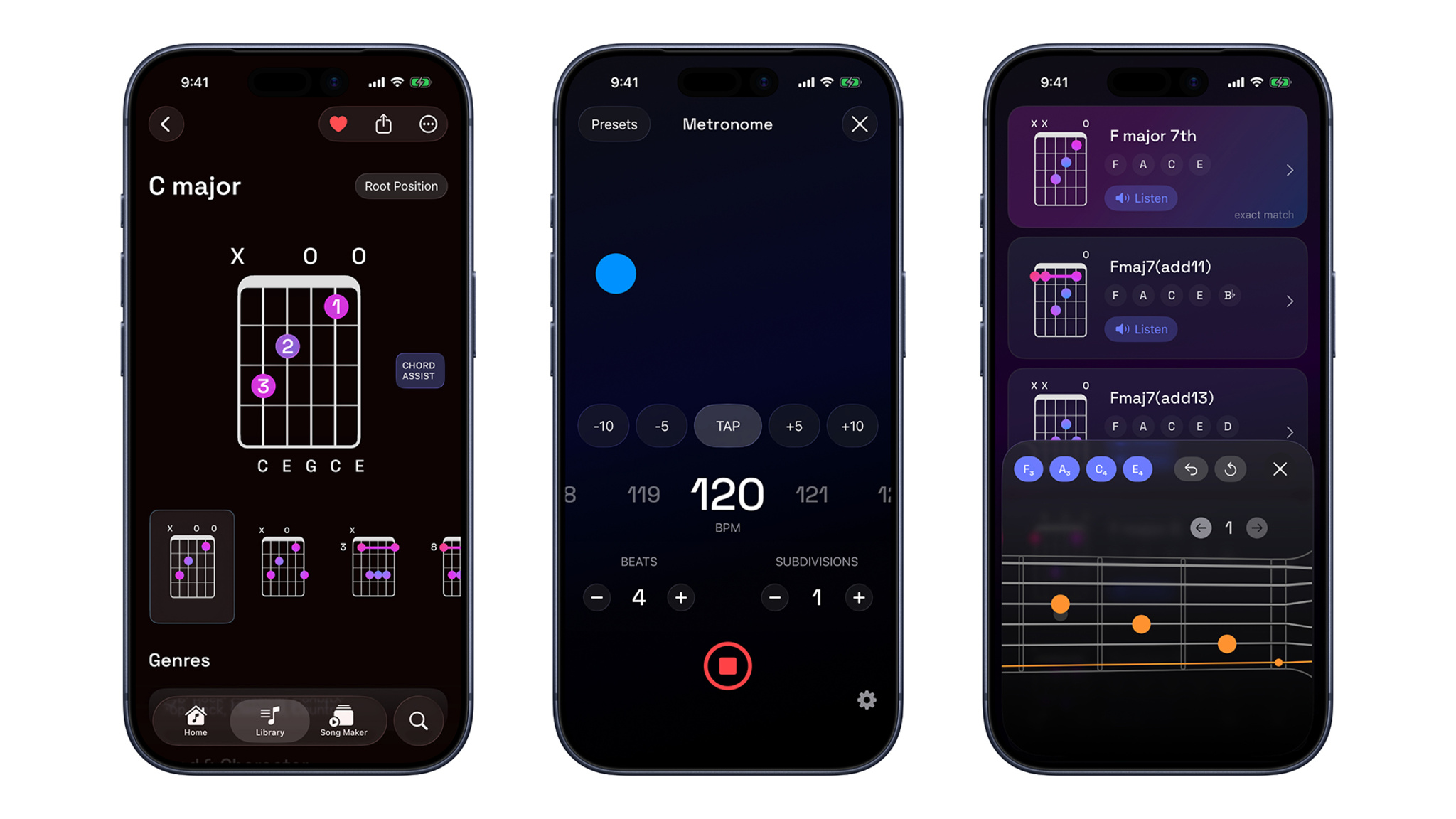
Guitar Wiz is an all-in-one toolkit for guitarists — built with SwiftUI by solo developer Bijoy Thangaraj — that offers an impressive array of inclusivity features. Robust VoiceOver integration provides spoken information and instructions on everything from pitch to chord guidance to where players should place their fingers on the frets. Guitar Wiz also supports Dynamic Type, Increase Contrast, and Differentiate Without Color to enable people of all abilities to play with autonomy.
We caught up with the India-based developer to riff on his own musical history, the challenges of presenting chord diagrams, and how Guitar Wiz prioritized inclusivity from day one.
Guitar Wiz
- Developer: Bijoy Thangaraj
- Available on: iOS, iPadOS, macOS, watchOS
- Team size: 1
- Based in: India
- Category: Inclusivity
Download Guitar Wiz from the App Store >
What was the spark that led to Guitar Wiz?
Thangaraj: I’ve been playing guitar and piano professionally for over 20 years, and I’ve been building apps for the Apple ecosystem for over 15 years. Most of the apps I’ve built began as tools I personally wanted to use as a musician — Tuner T1, Music Tutor, Aural Wiz, GtrLib Chords, and others.
Each solved one specific musical need really well. But as a guitarist, I wanted something broader: one beautifully designed app that could bring together the essential tools a guitarist might use every day. My creative vision was to build the ultimate guitar companion, a single app that could serve as a chord reference, tuner, metronome, song-building tool, progression explorer, and practice partner, useful for a beginner learning their first chords but deep enough for experienced players, teachers, and songwriters. Guitar Wiz brings together many of the technologies, ideas, and lessons I’ve developed across more than a decade of building music apps.
Walk us through your earliest concepts.
Thangaraj: The earliest foundation came from GtrLib Chords, an app I launched almost eight years ago with the goal of building one of the most comprehensive guitar chord libraries available. With Guitar Wiz, I knew the chord experience had to be excellent, but I didn’t want to simply recreate GtrLib Chords. That app had a more monochromatic, serious reference-style interface. For Guitar Wiz, I wanted chord diagrams to feel more modern, colorful, interactive, and delightful — redesigned with rounded corners, gradients, smoother visual treatments, and interactive animations.
How did you prioritize inclusivity?
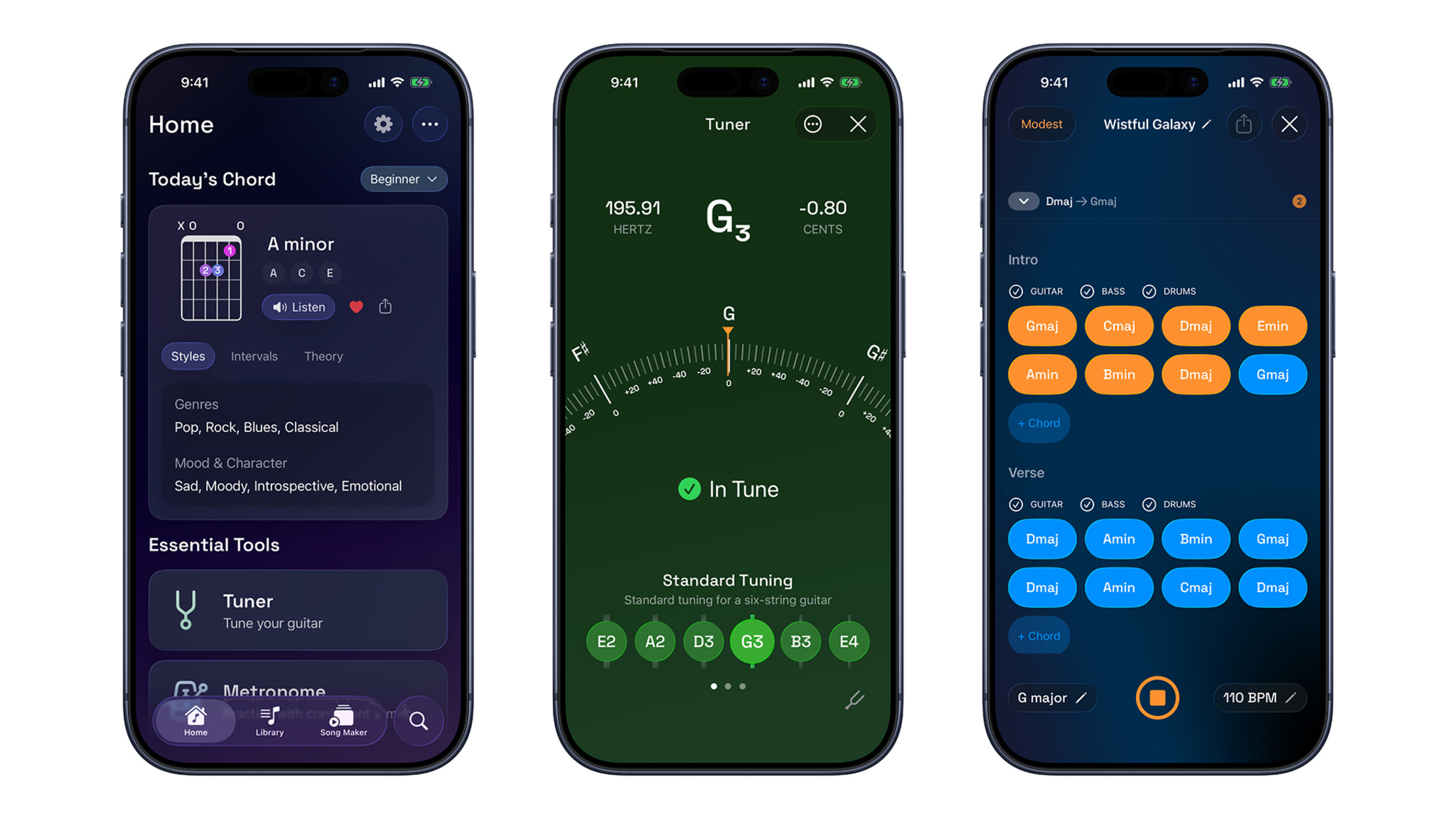
Thangaraj: Accessibility has been a core part of Guitar Wiz from the beginning. The app supports VoiceOver, Dynamic Type, and Increase Contrast, and chord diagrams are made more accessible by providing detailed spoken finger placement instructions through VoiceOver. The tuner is also designed to be usable without looking at the screen — VoiceOver can guide people by indicating whether a string is flat, sharp, or in tune.
One detail I’m especially proud of is how chord diagrams respond to Increase Contrast: instead of simply relying on the system-level contrast change, when Increase Contrast is enabled, Guitar Wiz renders chord diagrams in black and white, maximizing contrast while keeping every note and finger position easy to read. The goal was to make Guitar Wiz feel inclusive without making accessibility feel separate from the main design.
What Apple tools or technologies were central to your process?
Thangaraj: Guitar Wiz is built from the ground up using Apple’s modern native technology stack, with Swift and SwiftUI at its core. AVFoundation, AudioToolbox, and Core Audio power real-time music tools, including tuning, metronome workflows, playback, practice utilities, and low-latency audio behavior, with background audio and haptics so tools like the metronome can continue working naturally during a practice session.
Guitar Wiz also uses Vision and VisionKit for features such as Song Sheet Scanner, and integrates with Siri Shortcuts, Widgets, Live Activities, App Intents, and Apple Watch Smart Stack widgets.
Foundation models personalize chord theory insights based on each user’s proficiency level, while Apple Intelligence rewrites those insights across more than 30 languages, helping make music theory more approachable for a global audience. Guitar Wiz is also carefully optimized for iPad and Mac rather than simply scaled up, with layouts and font sizes that adapt dynamically and a SwiftUI foundation that feels natural for musicians who want more space while practicing, teaching, or composing.
Can you share a specific piece of feedback that genuinely changed your direction?
Thangaraj: During early ideation, a fellow musician pointed out something important: when they look up a chord, they don’t just want to see that chord in isolation — they want to understand how it works with the family of chords around it. That changed the question for me from “How do I make a better chord library?” to “How do I help someone use this chord musically?” That insight eventually influenced features like chord progressions, jam tools, and Song Maker. The chord library became not just a static reference, but a starting point for exploration, practice, and making music.
What was the toughest design decision you had to make?
Thangaraj: Deciding how much musical information to show at once. Guitar learning can become complex very quickly — chords, tabs, rhythm, finger placement, tuning, timing, progressions, inversions, and theory all competing for attention.
The approach I eventually landed on was progressive disclosure: Guitar Wiz gives people the most relevant information in the moment, while keeping deeper tools available as they grow. User feedback played a big role — sometimes I would de-emphasize something because I thought it might be overwhelming, only to hear from people that they actually relied on that feature. That taught me to be careful about assuming what people needed.
What advice would you give to a developer or designer just starting out?
Thangaraj: Build something you genuinely want to use yourself first. But once the product is out in the world, don’t stay too attached to your original version. Be open to shaping it based on how people actually use it, what they enjoy, where they struggle, and what they keep coming back to. Start with your own conviction, then let people help you evolve it.
Read more developer stories
Developer stories explore best practices and philosophies from some of the most inventive developers in the Apple community. In each story, we go behind the screens with developers, designers, and engineers to find out how they brought their remarkable creations to life.