

-
WWDC26 Platforms State of the Union 요약
앱과 게임을 위한 새로운 기능을 단 5분 만에 살펴보세요.
리소스
-
비디오 검색…
Here's your WWDC26 Platform State of the Union recap.
Intelligence, platform improvements, and tools all in one go.
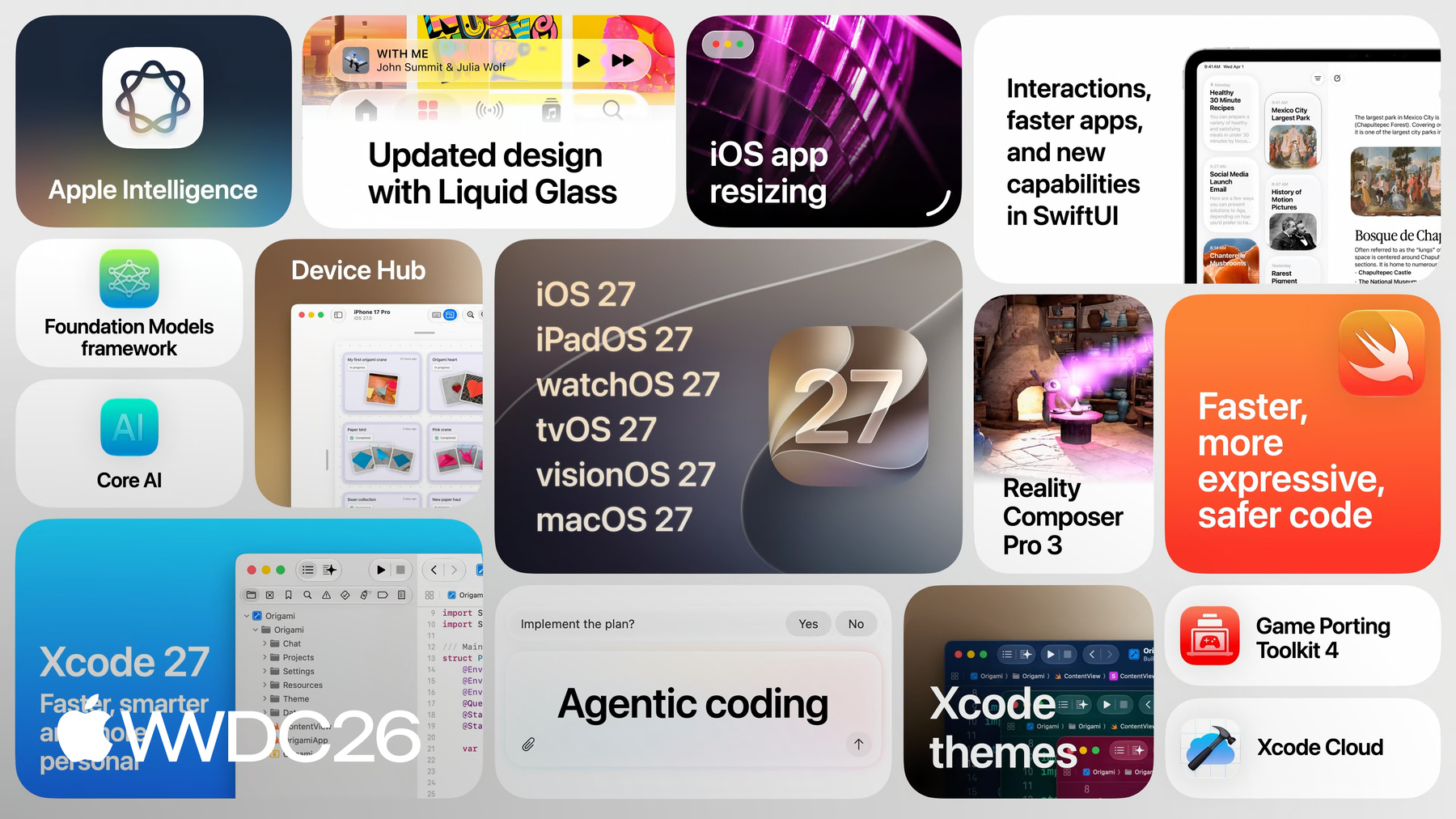
Apple Intelligence has been rebuilt from the ground up. Working together with Google and leveraging the technologies behind their Gemini family of models, we created the latest Apple Foundation Models for our integrated Apple Intelligence experiences.
The Foundation Models framework expands to include image input and support for cloud models.
So if you have a more complex task requiring more advanced frontier models, the API can now integrate with the cloud model provider of your choice. And we included dynamic profiles to help you build AI agents and skills with a lot less code by swapping tools in and out and updating instructions on the fly. Core AI is an entirely new framework, designed to be the best way to run on-device models in your apps. It's built right into the OS and takes full advantage of the power of Apple Silicon.
And App Intents connect your app to Apple Intelligence, making your users' content discoverable and your app's actions available through natural language in Siri.
And the new View Annotations API even lets people act on what's on screen just by asking. Together, in-app and system-wide intelligence unlock experiences neither could deliver alone.
Your apps made more powerful by intelligence and intelligence made more meaningful by your apps.
The new design with liquid glass is more consistent, more personalizable, and better tuned to maintain exceptional readability.
Every window on macOS shares the same tighter corner radius. App icons get sharper rendering automatically, and you can add new refraction effects in Icon Composer. iOS apps are now resizable, so users can take advantage of their larger displays when running one on iPads or Macs using iPhone mirroring.
And the new resizable iOS simulator and previews make it easy to test across sizes.
SwiftUI brings more speed, richer interactions, and new capabilities.
Drag to reorder and swipe actions now work in any container. Nested layouts resize up to twice as fast, and async image caches automatically.
Toolbars get finer control over what stays visible as space shrinks.
And on Apple Vision Pro, the new Spatial Preview Framework streams 3D models from your Mac into the space around you.
And Xcode has two big stories this year. The Daily Experience and Agentic Coding. Projects load faster. Xcode 27 is 30% smaller because it's Apple Silicon only. Your settings sync via iCloud. The toolbar is fully customizable, and color now flows through the entire app via themes. Emerald. Neon Noir. Coral Reef.
Xcode Cloud is easier than ever to set up, with builds up to twice as fast and support for Apple Vision Pro and apps using Metal on Apple Silicon.
And the all-new Device Hub replaces Simulator, bringing virtual and physical devices together in a single place. Pinch to Zoom! Live resizing, and full control over real hardware right from your Mac.
Last year, we brought AI coding assistance to Xcode, and so many of you embraced it immediately. We're working with the leading model providers to bring their agents into Xcode, Anthropic, OpenAI, and now Google.
Conversations with agents now behave like any other file. Open them, split them, stack them together in the Navigator. When you plan, the agent lays out its approach before a single line of code gets written, so you stay the architect. Agents can now run your tests. Try things in playgrounds and customize previews to validate UI across light and dark mode, orientations, text sizes, and localizations. They can even drive your running app. Tap, scroll, swipe and type to test it end-to-end.
Xcode 27 ships with the expertise of Apple's engineers and designers built right in, specialists for Swift UI, accessibility, sizing, testing, and performance that agents can draw on.
You can extend Xcode too.
Plugins bring skills, MCP tools, and any agent through the agent-client protocol. Figma and GitHub ship their own with just a click to set up. Xcode is more open, more capable, and a whole lot smarter.
Intelligence rebuilt. Platforms refined. Tools transformed.
That's the highlights from the WWDC26 Platform State of the Union. You can watch the full video on the Apple Developer app, website, YouTube, or BiliBili. We can't wait to see what you build.
-