Also I was cleaning up my screenshots from WWDC and saw this question of yours in a Q&A
Is there a way to open the Terminal on the project root folder in Xcode?
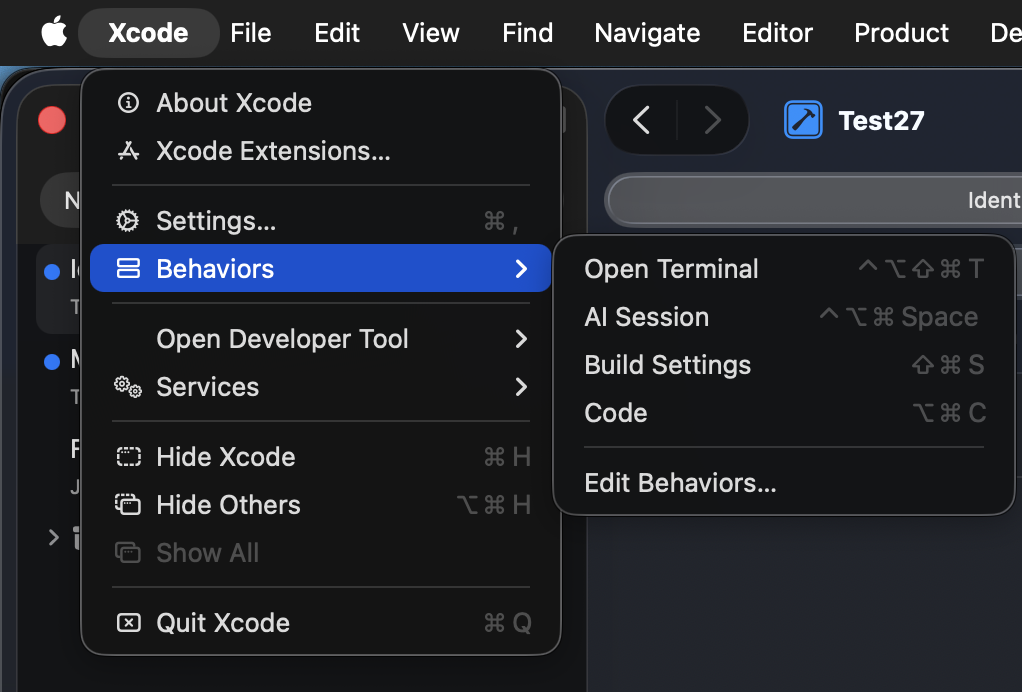
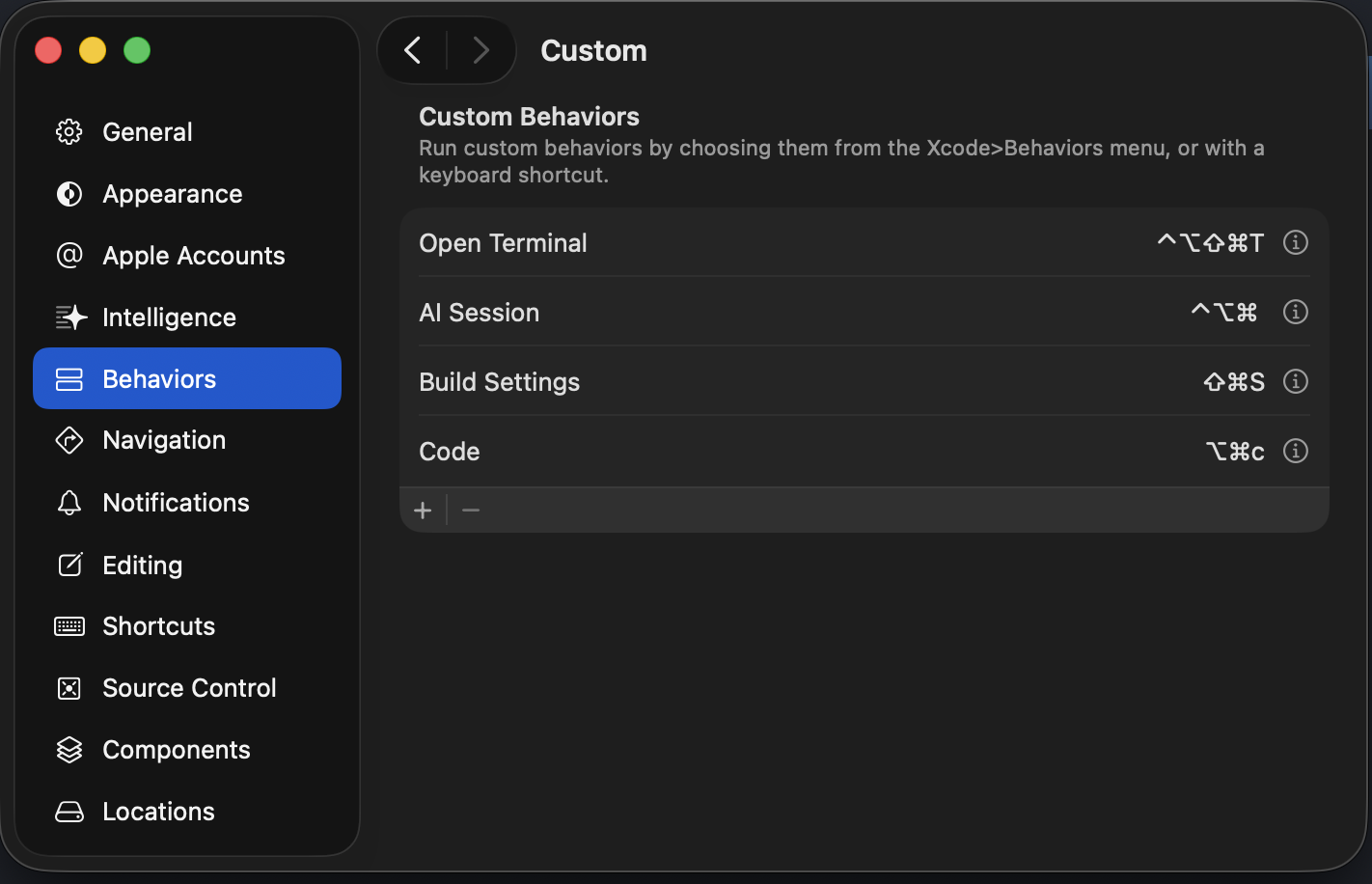
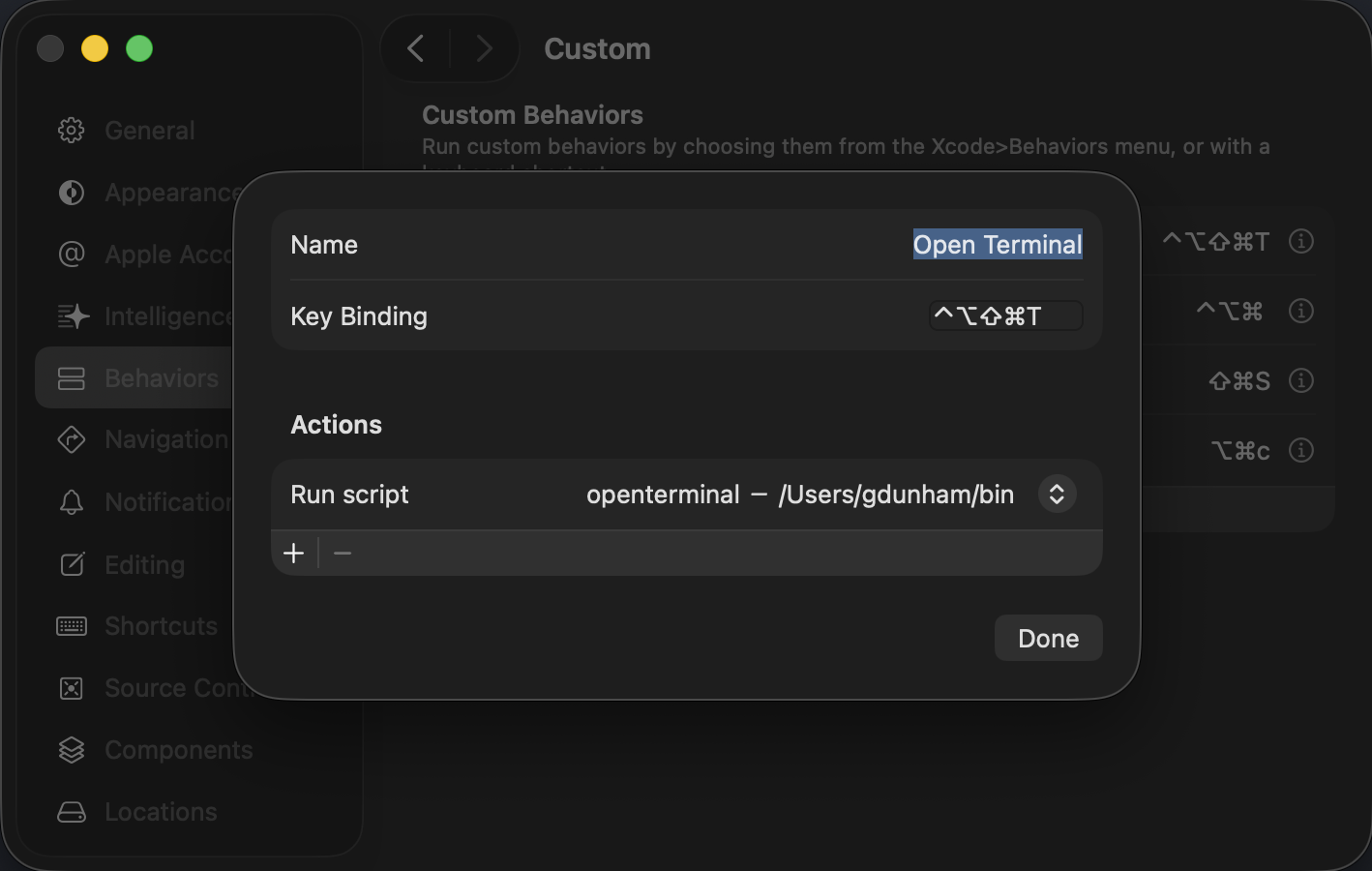
I have a Behavior in Xcode and a script ~/bin/openterminal.sh
#!/bin/bash

env | sort > ~/Xcode_behaviors.out
echo "XcodeWorkspace = $XcodeWorkspace" >> ~/Xcode_behaviors.out
echo "XcodeProject = $XcodeProject" >> ~/Xcode_behaviors.out

if [ "$XcodeWorkspace" == "package.xcworkspace" ]
then
    echo "open dir: $XcodeProjectPath/.." >> ~/Xcode_behaviors.out
    open -a Terminal "$XcodeWorkspacePath/../../.."

elif [ -n "$XcodeProject" ]
then
    echo "open dir: $XcodeProjectPath/.." >> ~/Xcode_behaviors.out
    open -a Terminal "$XcodeProjectPath/.."

else
    echo "open dir: $HOME" >> ~/Xcode_behaviors.out
    open -a Terminal "$HOME"
fi


# PROJECT
#
# XcodeDeveloperApplicationsDirectory=/Applications/Xcode 15.app/Contents/Developer/Applications
# XcodeDeveloperDirectory=/Applications/Xcode 15.app/Contents/Developer
# XcodeDeveloperPlatformsDirectory=/Applications/Xcode 15.app/Contents/Developer/Platforms
# XcodeProject=TestCodeScanner.xcodeproj
# XcodeProjectPath=/Users/gdunham/Library/CloudStorage/Dropbox/Development/DDS Experiments/TestCodeScanner/TestCodeScanner.xcodeproj
# XcodeWorkspacePath=/Users/gdunham/Library/CloudStorage/Dropbox/Development/DDS Experiments/TestCodeScanner/TestCodeScanner.xcodeproj/project.xcworkspace

# PACKAGE
#
# XcodeDeveloperApplicationsDirectory=/Applications/Xcode 15.app/Contents/Developer/Applications
# XcodeDeveloperDirectory=/Applications/Xcode 15.app/Contents/Developer
# XcodeDeveloperPlatformsDirectory=/Applications/Xcode 15.app/Contents/Developer/Platforms
# XcodeWorkspace=package.xcworkspace
# XcodeWorkspacePath=/Users/gdunham/Library/CloudStorage/Dropbox/Development/DDS Swift Packages/DDSUtilities/.swiftpm/xcode/package.xcworkspace